
50 Best ChatGPT Prompts to Copy and Paste (2026)
By the Chatgbot Team · Published August 4, 2026
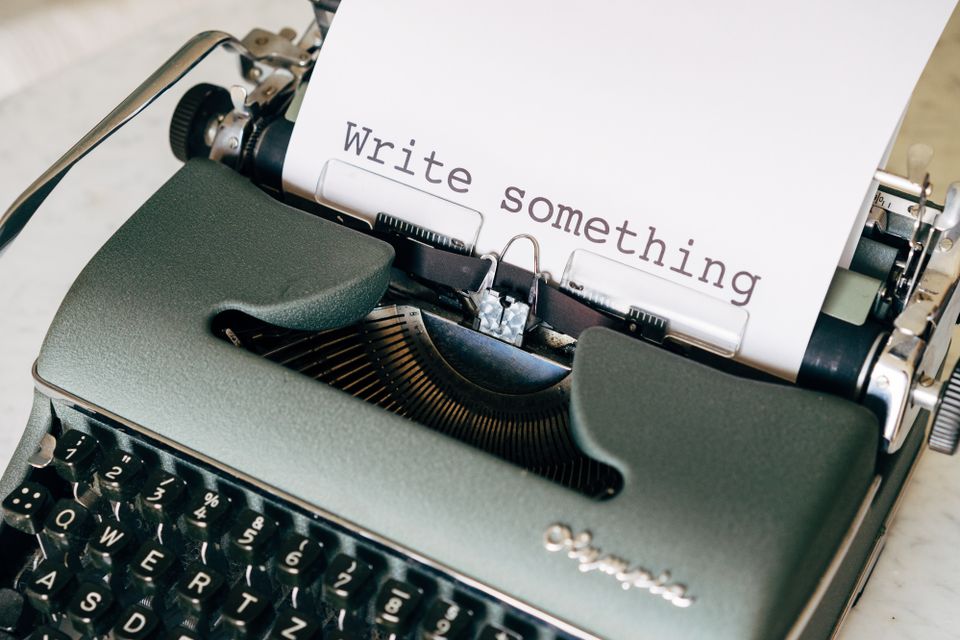
The fastest way to get better answers from AI is to start with a better prompt. This page is a copy-paste library of 50 ChatGPT prompts you can use right now, grouped by what you are trying to do.
Every prompt below is written so you can paste it in, swap the words in [brackets] for your own details, and hit send. They work in ChatGPT, and they also work in Claude, DeepSeek, Qwen, GLM, and other models, so you can run the same prompt in more than one place and compare the answers.
If you are new to this, a prompt is just the instruction you give the AI. For the bigger picture, see what is a prompt and how to use ChatGPT. Now, the prompts.
Writing prompts
These handle the everyday writing jobs: emails, cover letters, and cleaning up text you already have.
- Professional email: Write a clear, polite email to [recipient] about [topic]. Keep it under 150 words, use a friendly but professional tone, and end with a specific next step.
- Reply to a tricky email: Here is an email I received: [paste email]. Write a calm, professional reply that [says no / asks for more time / pushes back] without sounding rude.
- Cover letter: Write a one-page cover letter for a [job title] role at [company]. Here is the job description: [paste]. Here is my background: [paste]. Match my experience to what they are asking for and avoid clichés.
- Rewrite for clarity: Rewrite the text below so it is clearer and easier to read. Keep my meaning, shorten long sentences, and remove filler words. Text: [paste].
- Change the tone: Rewrite this so it sounds [more confident / warmer / more formal / more casual], without changing the facts: [paste].
- Shorten it: Cut this text down to [half the length / 100 words] while keeping the key points: [paste].
- Fix grammar only: Correct the spelling and grammar in the text below. Do not change my style or word choices unless something is wrong. Text: [paste].
For more writing use cases, see the best AI for writing.
Work and productivity prompts
Use these to move faster on the small tasks that eat your day: meetings, plans, and spreadsheets.
- Summarize a meeting: Turn these meeting notes into a short summary with three parts: key decisions, action items (with owners), and open questions. Notes: [paste].
- Turn notes into an email: Here are my rough notes: [paste]. Write a short follow-up email to the team that summarizes what we agreed and what happens next.
- Spreadsheet formula: I use [Google Sheets / Excel]. I want a formula that [describe what you want, e.g. adds column B only when column A says Paid]. Give me the formula and explain what each part does.
- Project plan: I need to [describe the project] by [deadline]. Break it into weekly milestones with tasks under each, and flag anything that could slow me down.
- Prioritize my day: Here is my to-do list: [paste]. Sort it by impact and urgency, tell me the first three things to do, and what I can safely drop.
- Meeting agenda: Create a 30-minute agenda for a meeting about [topic] with [who is attending]. Include time for each item and one clear goal for the meeting.
See more ideas for the office in using ChatGPT for work.
Learning and study prompts
These turn AI into a patient tutor. Great for students and anyone picking up something new.
- Explain like I am 5: Explain [topic] to me like I am five years old. Use a simple everyday example and no jargon.
- Explain at my level: Explain [concept] to someone who knows [what you already know]. Build on that instead of starting from zero.
- Study plan: I want to learn [subject] in [time frame], studying about [X hours] a week. Build me a week-by-week plan with what to focus on and a way to check my progress.
- Quiz me: Ask me 10 questions about [topic], one at a time. Wait for my answer, tell me if I am right, and explain the ones I miss.
- Language practice: Let us have a simple conversation in [language] about [topic]. Keep it at a beginner level, correct my mistakes gently, and give the English translation under each of your replies.
- Summarize to learn: Summarize the text below into the five most important points, then give me one question that tests if I understood it. Text: [paste].
- Feynman check: I will explain [topic] in my own words. Point out anything I got wrong or left out, then fill the gaps. Here is my explanation: [paste].
Students can find more in the best AI for students.
Business and marketing prompts
Copy that sells, posts that get read, and product text that is ready to ship.
- Ad copy: Write three short ad variations for [product] aimed at [audience]. Each should have a hook, one clear benefit, and a call to action. Keep them under 30 words.
- Social media post: Write a [LinkedIn / Instagram / X] post about [topic] in a [friendly / expert] voice. Include a strong first line, and end with a question to spark comments.
- Product description: Write a product description for [product]. Here are the features: [list]. Focus on benefits to the buyer, keep it under 100 words, and match a [brand tone].
- Content ideas: Give me 15 content ideas for [business or topic] aimed at [audience]. Mix how-to, myth-busting, and behind-the-scenes angles.
- Cold outreach message: Write a short outreach message to [type of person] offering [what you do]. Make it about them, not me, and keep it under 80 words.
- Customer FAQ: Based on this product info, write 8 frequently asked questions with clear answers a customer would actually ask. Info: [paste].
- Value proposition: Help me write a one-sentence value proposition for [product] for [audience]. Give me five options with different angles.
For a wider toolkit, see the best AI tools for business.
Personal and everyday prompts
AI is not only for work. These help with meals, trips, and getting moving.
- Meal plan: Build a 7-day dinner plan for [number of people]. Budget-friendly, [any diet needs], about 30 minutes to cook, and give me one shopping list at the end.
- Use what I have: I have [list ingredients]. Suggest three meals I can make with mostly these, and tell me what small extras I would need.
- Trip itinerary: Plan a [number]-day trip to [place] for [who is going]. We like [interests] and want a relaxed pace. Give a day-by-day plan with a mix of must-see and local spots.
- Workout plan: Create a beginner-friendly 4-week workout plan I can do at [home / the gym], [X days a week], to [goal]. No equipment beyond [what you have].
- Budget helper: Here is my monthly income and spending: [paste]. Suggest a simple budget, point out where I am overspending, and give me three realistic ways to save.
- Gift ideas: Suggest 10 gift ideas for [person] who likes [interests], for a budget of [amount]. Mix safe choices with a couple of creative ones.
- Decision helper: I am deciding between [option A] and [option B]. Ask me three questions to understand what matters to me, then give a clear recommendation.

Coding prompts
Whether you write code all day or just tinker, these get you unstuck fast.
- Debug this: This code throws [error message]. Explain what is causing it and give me the fixed version. Code: [paste].
- Explain code: Explain what this code does, line by line, in plain English. Assume I am a beginner. Code: [paste].
- Write a small function: Write a [language] function that [describe what it should do]. Include comments and a simple example of how to call it.
- Improve my code: Review this code and suggest improvements for readability and speed. Explain each change and do not rewrite everything at once. Code: [paste].
- Regex helper: Write a regular expression that matches [describe the pattern] and give me two examples of text it should match and two it should not.
- Convert code: Rewrite this [language A] code in [language B], keeping the same behavior. Point out anything that does not translate cleanly. Code: [paste].
More tips in the best AI for coding.
How to make any prompt better
You do not need to memorize prompts. Once you understand the pattern, you can write your own. The best prompts usually have three parts.
- Role: Tell the AI who to be. "Act as a hiring manager" or "You are a patient math tutor" changes the answer more than you would expect.
- Context: Give the details it needs. Who is this for, what is the goal, what have you tried, any constraints like length or tone.
- Format: Say how you want the answer. "Give me a bulleted list," "reply in a table," or "keep it under 100 words" saves you a round of edits.
A quick template: Act as [role]. I need [goal] for [context]. Give me the answer as [format]. If the first reply is not quite right, tell the AI what to change and ask again. This back-and-forth is the whole skill, and it is covered in what is prompt engineering.
Try the same prompt in more than one model
Different models have different strengths. One might write warmer copy, another might reason through a problem more carefully, another might be better at code. The only way to know which you prefer for a task is to try the same prompt in a few and compare.
That is easier when the models live in one place. Chatgbot gives you GPT, Claude, DeepSeek, Qwen, and GLM under one subscription, so you can paste a prompt, get an answer, switch models, and run it again without opening five apps or paying five bills. For open-ended questions, this is also a fast way to sanity-check an answer. See how to ask AI anything for more on that habit.
Frequently asked questions
Do these prompts work in other AI tools besides ChatGPT?
Yes. Every prompt here is plain instructions, so it works in ChatGPT, Claude, DeepSeek, Qwen, GLM, and most other chat models. Running the same prompt in two models and comparing the answers is a good way to find the one you like best for a task.
What makes a good ChatGPT prompt?
A good prompt gives the AI a role, some context, and a clear format for the answer. The more specific you are about who the answer is for and how you want it laid out, the closer the first reply lands to what you need.
Can I change these prompts?
That is the idea. Swap the words in [brackets] for your own details, and add or remove instructions. Treat them as starting points, not fixed scripts, and refine the answer by telling the AI what to adjust.
How many examples should I give the AI?
For simple tasks, none. For anything where style or format matters, one or two examples of what good looks like will noticeably improve the result. Paste a sample and say "match this style."
Start prompting with more than one model
Save this page, grab a prompt, and change the brackets to fit your task. When the answer matters, try it in a couple of models and keep the best one. Chatgbot puts GPT, Claude, DeepSeek, Qwen, and GLM in one app for one price, so comparing prompts across models takes seconds instead of five separate logins.