
Personal AI Assistant in 2026: What It Can Do and Which One to Pick
By the Chatgbot Team · Published July 16, 2026
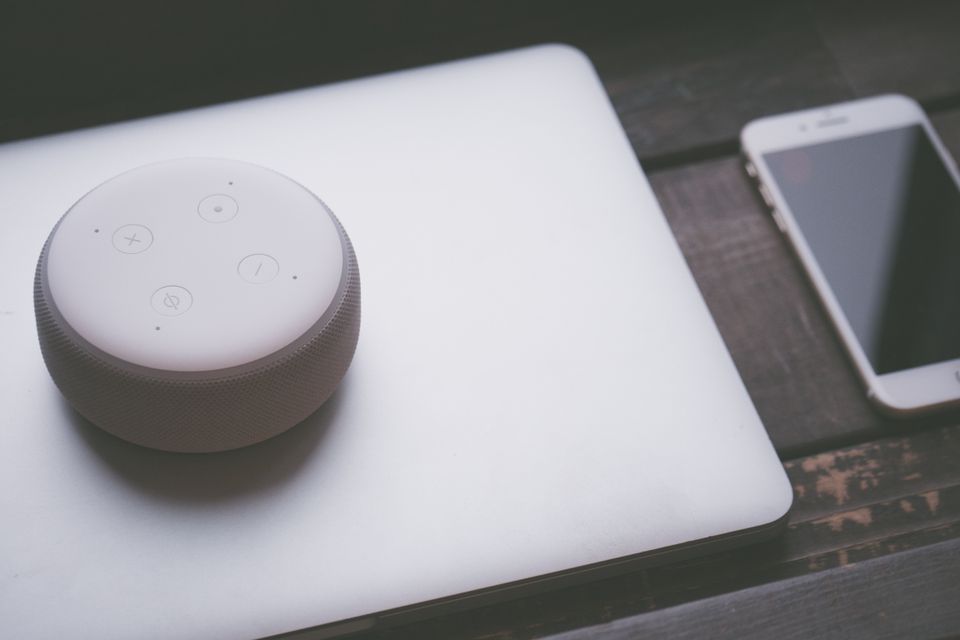
A personal AI assistant in 2026 is no longer just a chatbot that answers questions. It plans your week, drafts your emails, summarizes documents you never had time to read, and quietly runs tasks in the background while you do something else.
The catch is that the phrase now covers everything from a basic chat app to a full agent that acts on your behalf. If you are choosing a personal assistant app this year, it helps to know what these tools genuinely do well, where they differ, and how to set one up so it saves real time.
This guide walks through the core use cases, the agent and voice features that changed the category, and how the major models compare as daily companions.
What a Personal AI Assistant Actually Does Today
Strip away the marketing and most people use an AI personal assistant for four things: planning, drafting, summarizing, and remembering.
- Planning: weekly schedules, trip itineraries, meal plans, project timelines, and prioritized to-do lists built from a messy brain dump.
- Drafting: emails, messages, reports, and social posts written in your tone, ready to edit rather than start from zero.
- Summarizing: long PDFs, meeting notes, contracts, and email threads condensed into the three points that matter.
- Reminders and follow-ups: modern assistants run scheduled tasks through agents, so they can check something every morning and report back instead of waiting for you to ask.
The difference between a chatbot and an assistant comes down to memory and initiative. A chatbot answers the question in front of it. An assistant remembers your preferences, keeps context across conversations, and can take multi-step action on its own.
Agent Features: When Your Assistant Starts Doing the Work
The biggest shift since 2024 is agents. Instead of producing text for you to act on, an agent completes the task itself: it browses, fills in spreadsheets, cross-references sources, and delivers a finished result.
OpenAI pushed this furthest with ChatGPT Work, which connects to documents, calendars, and email so the assistant can prepare briefings, draft replies with real context, and run recurring jobs like a Monday morning summary of everything that changed while you were offline.
Two habits keep agents useful rather than risky. First, review what an agent produces before it goes anywhere important, because agents inherit every weakness of the model underneath. Second, grant the minimum access an automation actually needs, not blanket permissions to your whole inbox.
Voice: The Assistant You Talk To
Voice is the other feature that finally matured. Real-time voice models like GPT-Live-1 hold natural conversations, handle interruptions gracefully, and respond fast enough that talking often feels quicker than typing.
In practice, voice is what makes an AI feel like an actual assistant. You can think out loud on a walk, get live translation while traveling, ask for the next step of a recipe with your hands covered in flour, or rehearse a difficult conversation before you have it. For accessibility, voice turns the assistant from a nice extra into the primary interface.
How Claude, Gemini, and Grok Compare as Daily Assistants
GPT-5.6 is the default all-rounder, with the deepest agent and voice ecosystem. But the other major models each have a distinct personality as a daily assistant, and the differences show up quickly in everyday use.
| Model | Strongest at | Pick it when |
|---|---|---|
| Claude | Long documents, careful writing, nuanced judgment | You draft a lot or work with big reports and contracts |
| Gemini | Google ecosystem, multimodal input | Your life runs on Gmail, Calendar, and Drive |
| Grok | Real-time information, current events | You want an assistant plugged into what is happening right now |
Claude tends to produce writing that needs the least editing and handles long context gracefully, which is why many people prefer it for anything document-heavy. The tradeoffs against OpenAI's models are covered in our Claude vs ChatGPT comparison. Gemini wins on integration if you already live in Google's apps, since it can reach into your mail and files directly. Grok is the most current and the most casual, which makes it great for news and social context but less predictable for formal work.

Privacy Basics Before You Commit
An assistant only works if you feed it real context, so privacy deserves five minutes of setup before daily use.
- Check whether your conversations are used for training, and opt out if the provider allows it.
- Keep passwords, full card numbers, and government ID numbers out of chats entirely.
- Use temporary or incognito chats for sensitive topics you do not want stored in your history.
- Audit agent integrations occasionally and revoke access the assistant no longer needs.
- For work data, confirm your employer's policy and the provider's retention terms first.
Why One Model Is Rarely Enough
Here is the uncomfortable truth about picking a single personal AI assistant: no one model wins at everything. Claude may write your best emails while Gemini organizes your files and GPT-5.6 runs your agents. Model quality also shifts with every update, so this month's favorite can be next month's runner-up.
Heavy users solve this by comparing answers. Ask two models the same planning question and the differences often reveal a blind spot in the first answer. That is the practical case for keeping all AI models in one subscription instead of betting everything on a single provider or juggling several separate apps.
Setup Tips That Make a Real Difference
A few minutes of configuration separates an assistant that feels generic from one that feels like it knows you.
- Write custom instructions. Tell the assistant who you are, what you do, your tone preferences, and how you like answers formatted. Every future reply improves.
- Save your repeat prompts. If you write the same kind of email or summary every week, save the prompt once and reuse it instead of re-explaining.
- Give examples, not descriptions. Paste an email you actually wrote and ask the assistant to match it. Examples beat adjectives.
- Start with one workflow. Automate a single recurring task, like a daily news digest, before wiring the assistant into everything.
- Keep a running context note. A short document with your projects and priorities, pasted at the start of bigger sessions, keeps advice relevant.
Frequently Asked Questions
What is the best personal AI assistant in 2026?
There is no single winner. GPT-5.6 is the strongest all-rounder with the best agent ecosystem, Claude leads for writing and long documents, and Gemini is ideal if you live in Google apps. Most heavy users switch between two or three models depending on the task.
Can a personal AI assistant set reminders and run tasks automatically?
Yes. Agent features let modern assistants run scheduled, recurring jobs, such as a morning briefing or a weekly report, and deliver results without being prompted each time. Tools like ChatGPT Work extend this to email, calendars, and documents.
Is it safe to share personal information with an AI assistant?
Everyday context like your schedule or writing style is generally fine, but keep passwords, financial details, and ID numbers out of chats. Check the provider's training and retention settings, and use temporary chats for anything sensitive.
Do I need to pay for a personal assistant app?
Free tiers cover basic chat, but the features that make an AI feel like a real assistant, including agents, real-time voice, and higher usage limits, usually sit behind a paid plan.
Try Every Assistant in One App
The fastest way to find your ideal personal AI assistant is to stop guessing and test the contenders side by side. Chatgbot gives you GPT-5.6, Claude, Gemini, Grok, DeepSeek, and more in a single subscription, and lets you switch models mid-conversation. Draft with one, plan with another, and compare answers when it matters, all in one place.