
AI Image Description: Get AI to Describe Any Picture (2026)
By the Chatgbot Team · Published July 21, 2026
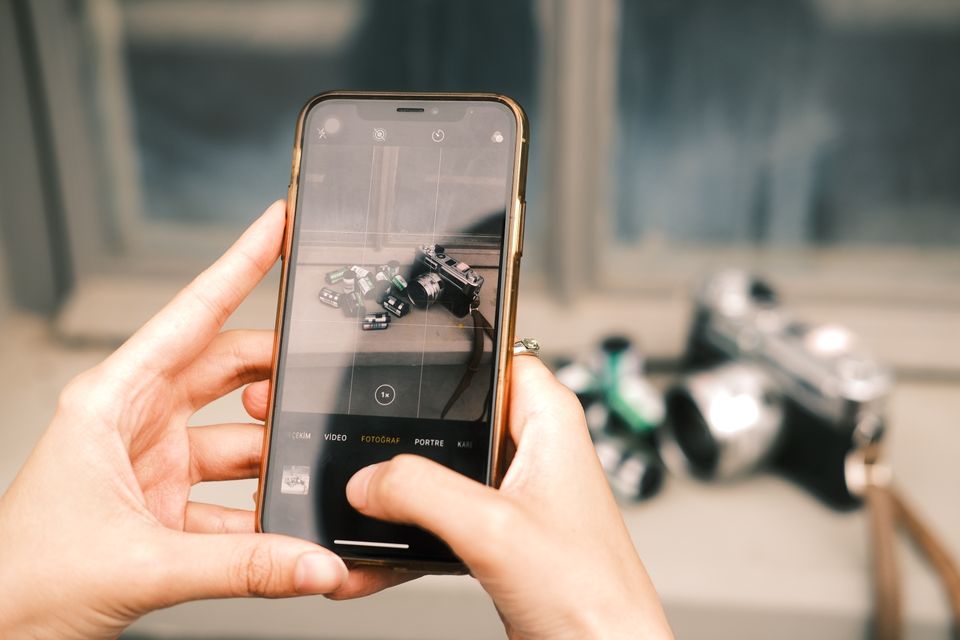
Modern AI does not just generate images, it understands them. Upload a photo to a multimodal model and it can tell you what is in the scene, read the text on a sign, explain a chart, or identify the plant on your windowsill.
The catch is that results depend on which model you use and how you prompt it. A vague "describe this image" gets a vague answer, while a specific prompt gets you alt text, a data table, or a translation. This guide covers what AI image description can do in 2026, how to do it step by step, 10 prompts worth copying, and where the technology still falls short.
What AI Image Description Can Do in 2026
Today's multimodal models (GPT-5.6, Claude, Gemini, and others) accept images alongside text and reason about both together. In practice, that means an AI can:
- Describe scenes: what is happening, who or what is present, the setting, and the layout of the frame.
- Read text and handwriting: signs, labels, receipts, whiteboards, and handwritten notes, even messy ones.
- Identify objects, plants, and animals: from "what breed is this dog" to "is this houseplant safe for cats" (always verify safety answers).
- Explain charts and graphs: turn a bar chart into a plain-language summary of the trend and the takeaway.
- Extract data from screenshots: pull numbers, tables, and text out of a screenshot as structured data you can paste into a spreadsheet.
- Explain diagrams: circuit diagrams, biology figures, flowcharts, and homework problems, step by step.
If you also work with audio, the workflow is the same one you would use to transcribe audio to text: upload the file, prompt the model, refine the output.
How to Get AI to Describe an Image, Step by Step
- Pick a multimodal model. Not every AI accepts images. GPT-5.6, Claude, and Gemini all do, and in Chatgbot you can pick any of them from the same chat window.
- Upload the image. Use the attachment or camera button and add a photo, screenshot, or scanned document.
- Write a specific prompt. Say what you want and in what format: "Describe this for a screen reader user in one sentence" beats "what is this".
- Ask follow-up questions. The model keeps the image in context, so you can drill down: "What does the third column say?" or "Translate only the headline."
- Verify anything that matters. Treat the output as a strong draft, not ground truth, especially for numbers, names, and safety questions.
10 Useful Prompts for Describing Images
Copy these and adapt them. Being specific about audience, format, and length is what makes the output useful.
- Alt text for accessibility: "Write concise alt text for this image, under 125 characters. Do not start with the words image of."
- Full description: "Describe this image in detail: layout, people or objects, colors, and any visible text."
- Product description: "Write a product description for an online store based on this photo. Cover material, color, style, and use cases."
- Chart explanation: "Explain this chart in plain language. What is the main trend and the one takeaway to remember?"
- Data extraction: "Extract all text and numbers from this screenshot into a clean table I can paste into a spreadsheet."
- Translation: "Transcribe the text in this photo, then translate it into English." (This is ChatGPT translate, starting from a picture.)
- Handwriting: "Transcribe this handwritten note exactly as written. Mark any word you are unsure about with a question mark."
- Plant or object ID: "What plant is this? Give the most likely species, how confident you are, and basic care tips."
- Homework diagram: "Explain this diagram step by step as if teaching a high school student, and define every label."
- Social captions: "Write three caption options for this photo: one funny, one sincere, one under five words."
Where Accuracy Falls Short
AI image description is good, not perfect. Know the limits before you rely on it:
- Identifying people is restricted. Major models will describe a person's visible appearance but decline to name who they are. This is a deliberate policy choice, so do not expect facial recognition.
- Small details get missed or invented. Tiny text, distant objects, and fine print are the most common failure points. If a detail matters, crop in on it or run the photo through an AI image upscaler before uploading.
- Counting is unreliable. Ask how many people are in a crowd photo and you will get an estimate at best.
- Confident hallucinations happen. A model may report text or objects that are not there, especially in blurry images. Cross-check numbers pulled from charts and receipts.
- Specialized judgments need experts. Plant toxicity, skin conditions, and structural damage are areas where an AI answer is a starting point, never a verdict.
Privacy: Think Before You Upload Personal Photos
An image often contains more than you notice: other people, home addresses on packages, screens with open email, ID cards, or documents in the background. Crop out anything you would not paste into a chat as text.
Also check how the service handles your data. Look for settings that let you opt out of model training, and prefer apps with a clear retention policy. For photos of children, medical images, or legal documents, the safest default is not to upload them unless you have a concrete need and trust the provider.
Alt Text at Scale: The Accessibility Angle
The most important real-world use of AI image description is accessibility. Screen reader users depend on alt text, and most of the web still does not have it. AI makes it realistic to fix that, whether you are one blogger with 300 old posts or a store with 10,000 product photos.
A workable process: batch your images, use the alt text prompt above with notes about page context, keep descriptions under about 125 characters, and have a human skim the results. AI drafts, you approve. Blind and low-vision users also use image description directly, pointing a phone camera at menus, labels, and signs, where speed and honesty about uncertainty matter more than eloquence.
Which AI Models Describe Images Best?
All the leading models are competent, but they have different personalities with images. Qualitatively, in 2026:
- GPT-5.6 is the strong all-rounder, particularly good at reading text in images and extracting structured data from screenshots.
- Claude tends to give careful, well-organized descriptions and is strong with documents, charts, and long follow-up conversations about one image.
- Gemini shines on real-world photos, object identification, and multilingual text in images.
- Grok and DeepSeek handle everyday description well, with Grok skewing casual and DeepSeek offering solid value.
The honest answer is that the best model varies by image. A chart, a handwritten note, and a garden photo can each favor a different model. The practical fix is to compare: upload the same image to two models with the same prompt and see which description is more accurate. In Chatgbot you can do exactly that in one app, switching between GPT-5.6, Claude, and Gemini mid-conversation. And to go the other direction, from words to pictures, see our guide to the best AI for image generation.
Frequently Asked Questions
Can AI describe an image for free?
Yes. The free tiers of most major AI apps accept image uploads, usually with daily limits and smaller models. Paid plans give you stronger models, which improves accuracy on charts, handwriting, and small text.
Can AI identify a person in a photo?
No. Major AI models are deliberately restricted from identifying real people from photos. They will describe what a person is wearing or doing, but they will not tell you who someone is.
How accurate are AI image descriptions?
Very good for scenes, printed text, and common objects, and weaker on tiny details, counting, and blurry photos. Treat descriptions as a reliable draft and verify any numbers, names, or safety-related claims yourself.
What image formats can I upload to an AI?
JPG and PNG are supported everywhere, and most apps also accept WebP, HEIC, and screenshots pasted from the clipboard. Higher resolution helps, since models read sharp images better than compressed ones.
Describe Images with Every Top Model in One App
You do not need to guess which AI describes images best. Chatgbot gives you GPT-5.6, Claude, Gemini, Grok, and DeepSeek under one subscription, so you can upload a photo, ask two models for a description, and keep whichever answer is right. The best description is one comparison away.