
What Is a Chatbot? From Simple Bots to AI Assistants (2026)
By the Chatgbot Team · Published July 22, 2026
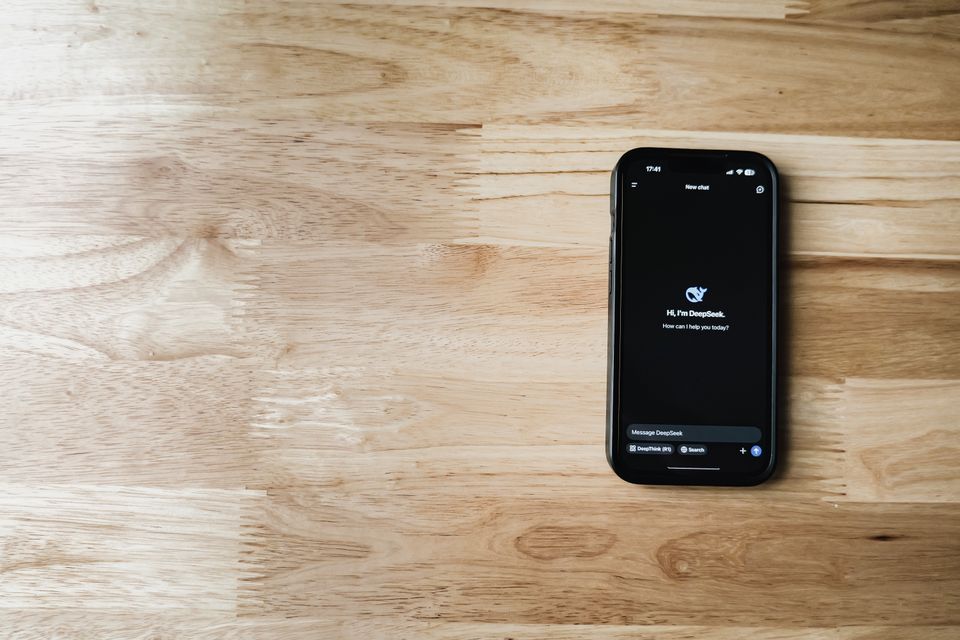
A chatbot is a computer program that talks with you in everyday language, through text or voice, to answer questions or get things done. That is the whole idea in one sentence. You type or speak, and it replies.
Every top AI in one app
GPT, Claude, DeepSeek, Qwen and GLM — one subscription.
Try ChatGBot →Chatbots are not new, but they changed a lot in a few short years. The clunky help windows on old websites and the assistants that can now write an essay for you are both called chatbots, yet they work in very different ways.
This guide explains chatbot meaning in plain terms, walks through how chatbots work, and shows you how to start talking to one with confidence. No technical background needed.
The two generations of chatbots
It helps to think of chatbots in two waves. Knowing which kind you are talking to explains why one feels rigid and the other feels almost human. The first is the rule-based bot that follows a fixed script. The second is the modern AI chatbot that reads your words and generates a fresh reply each time.
Old rule-based bots: canned answers
A rule-based chatbot works like a phone menu turned into a chat window. Someone wrote a list of expected questions and matched each one to a ready-made answer. When your message matches a keyword, the bot sends the canned response.
This is why old bots feel frustrating. Ask something slightly outside the script and you get "Sorry, I didn't understand that," or the same button choices again. The bot is not thinking. It is just matching words to a list. It cannot handle anything its creators did not plan for in advance.
Modern AI chatbots: they understand language
Modern AI chatbots are built on large language models, a type of artificial intelligence trained on huge amounts of text. Instead of picking from a fixed list, they predict a natural, sentence-by-sentence reply based on everything you wrote.
In plain terms, the model learned patterns of language by reading enormous quantities of writing. When you ask a question, it uses those patterns to produce an answer that fits your exact words, even a question no one anticipated. That is why you can chat freely, change topics, and ask follow-ups. If you want the bigger picture, see our guide to what AI is.
Where you meet chatbots every day
You probably use chatbots more often than you realize. Common places include:
- Customer support: the chat bubble on a store or bank site that answers questions about orders, refunds, or hours.
- Website helpers: pop-up assistants that guide you to the right page or product.
- AI assistants: ChatGPT-style apps you open on purpose to write, plan, learn, or brainstorm.
- Phone and smart-speaker voice assistants: the ones that answer when you speak a question out loud.
Support bubbles are often the older rule-based kind. Standalone apps you visit to chat, like the ones you can try in AI chat online, are the newer AI kind.
What modern AI chatbots can do
Today's AI chatbots go far beyond answering simple questions. A capable one can:
- Write emails, messages, resumes, and first drafts of almost anything.
- Explain hard topics in simple words, and adjust the level if you ask.
- Translate between languages and rewrite text in a different tone.
- Summarize long articles, notes, or documents into a few clear points.
- Create images from a text description, in the tools that support it.
Different chatbots have different strengths. Some are stronger at writing, others at coding, math, or search. This is why many people like using more than one.
The limits: what chatbots get wrong
An AI chatbot can sound confident and still be wrong. This is the single most important thing for a beginner to understand.
These models predict likely-sounding language. They do not truly "know" facts the way a person does, and they have no built-in sense of what is true. Sometimes they invent details, dates, or sources that look real but are not. People call this a hallucination.
So treat a chatbot as a fast, helpful assistant, not a final authority. For anything important, like health, legal, money, or news, double-check its answers against a trusted source before you rely on them.

How to talk to a chatbot for the first time
The message you send is called a prompt. Better prompts get better answers, and a few simple habits make a big difference:
- Say who it is for and why. "Explain compound interest to a 12-year-old" beats "explain compound interest."
- Give context. Paste the email or text you are working with instead of describing it.
- Ask for a format. Request a list, a short paragraph, or a table, whatever you need.
- Follow up. If the reply misses, just say "shorter," "more formal," or "add an example." You are having a conversation, not filling out a form.
You do not need special words or tricks. Clear, normal language works best. For a step-by-step walkthrough, read how to use ChatGPT.
Safety basics for beginners
Chatbots are safe to use with a little common sense. Keep these habits from day one:
- Do not share secrets. Avoid passwords, full card numbers, or sensitive personal details in a chat.
- Verify important facts. Remember that a confident answer can still be wrong.
- Use official apps. Stick to well-known providers so you know who is behind the tool.
- Stay in charge. The chatbot suggests. You decide.
Try today's best AI chatbots in one app
There is no single "best" chatbot, because each one is good at different things. Rather than sign up for several accounts, you can use them side by side. Chatgbot puts GPT-5.6, Claude, Gemini, Grok, DeepSeek, and more together under one subscription, so you can switch models mid-conversation and compare answers to the same question. To see how the main options stack up, browse AI chatbot platforms.
Frequently asked questions
What is a chatbot in simple words?
A chatbot is a program you talk to in plain language, by typing or speaking, and it answers back. Some follow fixed scripts, while modern AI chatbots understand your words and write fresh replies.
How do chatbots work?
Older chatbots match your words to a list of pre-written answers. Modern AI chatbots use large language models trained on huge amounts of text to predict a natural reply that fits your exact question.
Is a chatbot the same as AI?
Not exactly. A chatbot is the chat interface you talk to. AI is the technology that can power it. Rule-based bots use little or no AI, while modern chatbots are built on advanced AI language models.
Are chatbots safe to use?
Yes, with basic caution. Avoid sharing passwords or sensitive personal data, stick to trusted apps, and double-check important answers, since a chatbot can sound confident and still be wrong.
Is a chat bot the same as a chatbot?
Yes. Chat bot and chatbot are two spellings of the same thing: a program you talk to in natural language. The one-word chatbot is now standard, but you will still see chat bot in older articles and product names.
What is a chatbot application?
A chatbot application, or chatbot app, is software on your phone, browser, or a website that runs a chatbot. Modern AI chatbot apps like Chatgbot let you chat, generate images, and switch between models in one place.
Start chatting with confidence
A chatbot is simply a program you talk to, and the modern AI kind can write, explain, translate, and create in seconds, as long as you check the important parts yourself. The best way to learn is to open one and start asking. You can try today's leading AI chatbots together in one place at Chatgbot.