
What Is Sora? OpenAI's Video AI Explained (2026)
By the Chatgbot Team · Published July 22, 2026
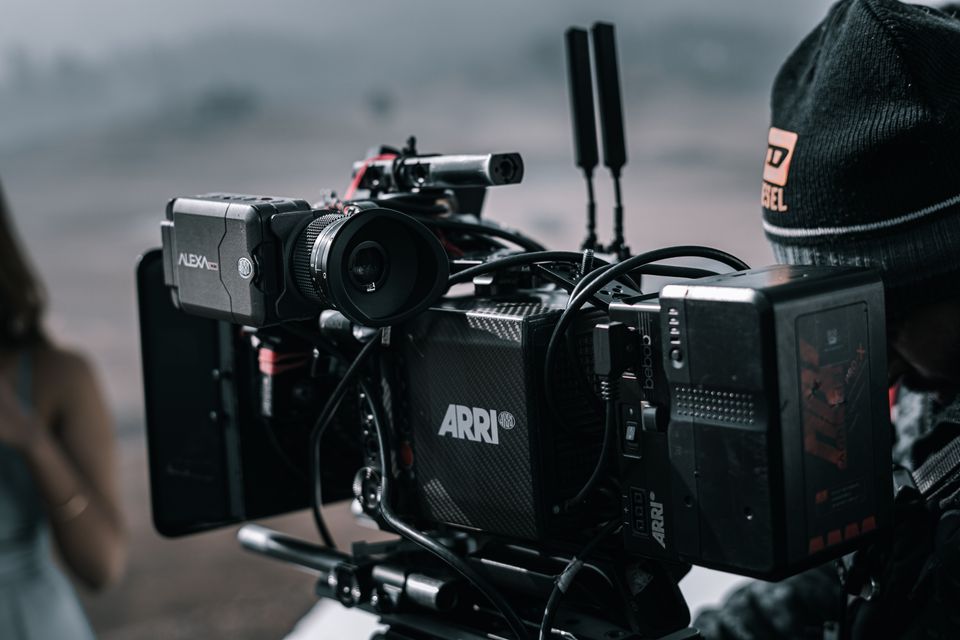
Sora is OpenAI's AI video generator, a text-to-video model and companion app that turn written prompts, still images, and existing clips into short, realistic videos with sound. You type a description like "a golden retriever surfing at sunset, cinematic slow motion," and Sora renders it as a watchable clip in minutes.
Every top AI in one app
GPT, Claude, DeepSeek, Qwen and GLM — one subscription.
Try ChatGBot →Sora sits next to ChatGPT in OpenAI's lineup, and the two are constantly confused. One writes, the other films. This guide explains what Sora actually is, what it does well, where it still breaks, and how it compares with rivals like Google's Veo and Runway-style editing tools.
You will also learn how to prompt it properly, and why the best Sora workflow starts in a chat window rather than in the video app itself.
What Is Sora, Exactly?
The name covers two related things. First, Sora the model: a generative AI system trained on huge amounts of video, which produces new footage from text, images, or existing clips. Second, Sora the app: OpenAI's web and mobile app where you generate videos, scroll a feed of other people's creations, and remix them with your own twists.
The current generation of the model produces synchronized audio along with the picture. That means dialogue, ambient noise, and sound effects that match the action, not just silent footage. OpenAI frames Sora as both a creative tool and a research step toward AI that understands how the physical world moves and behaves.
What Sora Can Do
In practice, Sora handles a few core jobs:
- Text to video. Describe a scene and get a short clip, in styles ranging from photorealistic to animated or stylized.
- Image to video. Upload a still image and Sora animates it, adding motion, depth, and camera movement.
- Remixing. Take an existing clip and change the subject, style, or setting with a follow-up prompt instead of starting over.
- Cameos. In the app, you can insert your own likeness into generated scenes, with consent controls over who can use your face.
- Sound. Newer versions generate speech and effects that sync with what is on screen.
People use it for concept shots, storyboards, memes, product teasers, and short social clips. It is built for quick, self-contained moments rather than full productions.
Where Sora Still Falls Short
Sora is impressive, but it has clear limits you should know before relying on it:
- Length. Clips are measured in seconds, not minutes. Longer videos mean generating multiple clips and stitching them together in an editor.
- Physics. Hands, liquids, collisions, and object permanence can glitch. A cup might merge into a table, or a person might gain a sixth finger mid-shot.
- On-screen text. Signs, labels, and captions inside the video often come out garbled, so plan to add titles in post.
- Consistency. Keeping the same character or location identical across separate generations is still hard.
Expect a slot-machine element. Most creators generate several takes of the same prompt and keep the best one.
Can ChatGPT Make Videos?
Short answer: no, ChatGPT does not make videos itself. ChatGPT is the conversation side of OpenAI. It chats, writes, analyzes files, and generates images. Sora is the video side. Video generation happens in the Sora app or on the Sora website, not inside a chat thread.
The two are connected, though. They share your OpenAI account, paid ChatGPT plans typically bundle Sora access, and ChatGPT is genuinely useful for writing Sora prompts and scripts. So when people search "can ChatGPT make videos," the honest answer is: not directly, but it is the best co-writer for the tool that does.
How to Get Access to Sora
Sora is available through its website and the Sora mobile app. Access depends on where you live and what plan you have. OpenAI has rolled it out region by region, and some countries got it much later than others.
As a general rule, free access is limited and changes over time, while paid ChatGPT tiers get more generations, higher resolution, longer clips, and shorter queues. Because the exact plans and regions keep shifting, check OpenAI's official pages for the current details rather than trusting a screenshot from last year.

Sora vs. Veo, Runway, and Other Video Models
Sora is not alone. Google's Veo is its closest rival on raw realism, and it plugs into Google's ecosystem. Runway and similar tools aim at editors and filmmakers, offering finer control over motion, masking, and shot-to-shot consistency. Sora's edge is approachability: a consumer app, a remix culture, and audio baked in.
| Tool | Best for | Feel |
|---|---|---|
| Sora | Fast, fun clips with sound | Consumer app with a social feed |
| Veo | Realism inside Google's tools | Tied to the Google ecosystem |
| Runway-style editors | Control and consistency | Pro timeline and editing controls |
Quality differences between the top models change with every release, so treat rankings as snapshots. For a wider look at the field, see our roundup of the best AI video generators.
Prompt Tips for Better AI Video
Video prompts reward specificity. A few habits that consistently help:
- Think like a director. Cover subject, action, setting, camera, lighting, and mood in one or two sentences.
- One scene per prompt. Cramming three shots into one prompt usually produces a mess. Generate separate clips and cut them together.
- Name the camera move. "Slow dolly in," "handheld tracking shot," or "static wide shot" steer the result strongly.
- State the style. "Shot on 35mm film," "claymation," or "1980s home video" locks the look in place.
- Remix instead of rerolling. When a clip is close, change one element with a remix rather than starting from scratch.
It also helps to study references. If a long video nails the vibe you want, run it through a video summarizer to pull out its structure and beats, then borrow them. And draft the prompt itself with a strong chat model like GPT-5.6, which is very good at turning a vague idea into director-style language.
Safety, Watermarks, and Content Rules
Every video you download from Sora carries a visible watermark, and the files include provenance metadata based on the C2PA standard, which lets platforms verify that a clip is AI-generated. Cameos require consent, and Sora blocks depictions of real public figures without permission, along with violent, sexual, and other restricted content.
None of this is bulletproof. Watermarks can be cropped and metadata can be stripped by bad actors, so treat provenance tools as helpful signals, not guarantees. If you publish Sora clips, disclose that they are AI-made where platforms require it. It keeps you safe and keeps your audience's trust.
FAQ: What Is Sora?
Is Sora free to use?
Sometimes, within limits. OpenAI has offered limited free generations in some regions, but paid ChatGPT plans get more videos, better quality, and shorter waits. Availability changes often, so check OpenAI's current plan pages.
Can ChatGPT make videos directly?
No. ChatGPT handles text, analysis, and images, while Sora handles video. They share an OpenAI account, and ChatGPT is excellent at writing scripts and prompts for Sora, but the video itself is generated in the Sora app or website.
How long can Sora videos be?
Clips are short, measured in seconds rather than minutes, with exact limits depending on your plan. For anything longer, creators generate multiple clips and stitch them together in a video editor.
Does Sora watermark its videos?
Yes. Downloaded videos carry a visible watermark plus embedded provenance metadata that identifies them as AI-generated, though determined bad actors can remove watermarks, so it is not a perfect safeguard.
Write the Script First, Then Hit Generate
The clips that stand out on Sora are written before they are rendered. A tight concept, a clear shot list, and a director-style prompt matter more than any setting in the app. That planning work is chat-model territory, and it is where Chatgbot fits in: one app with GPT-5.6, Claude, Gemini, Grok, and DeepSeek, so you can brainstorm the concept with one model, tighten the prompt with another, and compare their takes side by side. Plan your video in Chatgbot, then let Sora do the filming.